Introducing Funnels
Track how visitors move through your conversion flow and identify where they drop off with our new funnels feature.

Daryl
Founder
One of the most requested features since we launched has finally arrived. Today, we're introducing Funnels to Visitors at no additional cost.
At their core, funnels let you track how visitors move through a series of steps on your site. Define your conversion flow, and we'll show you exactly where people are dropping off.
Why funnels matter
You already know how many people visit your site. You know which pages they view. But do you know how many actually complete the journey you want them to take?
Maybe you want to understand how visitors go from landing on your homepage to signing up. Or how many people who view your pricing page actually make it to checkout. Without funnels, it's not as easy to visualize this data.
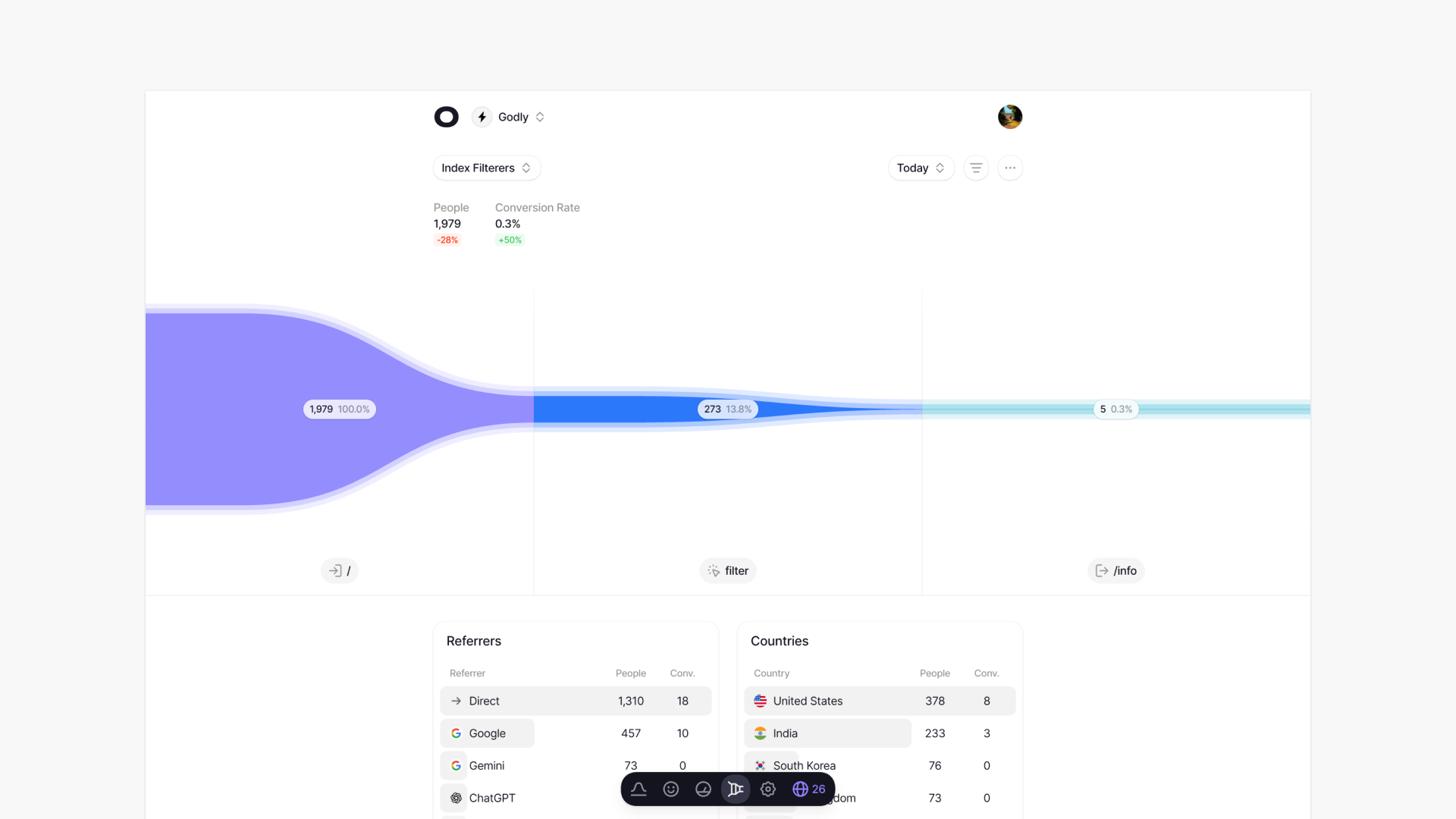
See exactly how visitors progress through each step of your conversion flow, with clear drop-off percentages at every stage.
The visualization makes it immediately obvious where the biggest drop-offs happen. If 65% of your visitors are leaving between your pricing page and checkout, you know exactly where to focus your efforts.
Building a funnel
Creating a funnel is simple. Give it a name, then add your steps. We support five different step types:
| Step type | Description |
|---|---|
| Pageview | Tracks when someone visits a specific page. Your homepage, pricing page, checkout, whatever matters to your flow. |
| Entry page | Tracks when someone starts their session on a particular page. Useful if you're running campaigns that land visitors directly on a specific page. |
| Exit page | Tracks when someone ends their session on a page. Great for understanding where people lose interest. |
| Event | Tracks custom events you've set up. Button clicks, form submissions, video plays, anything you're tracking with our events API. |
| Outbound | Tracks when someone clicks a link that takes them off your site. Useful for tracking affiliate links or external conversions. |
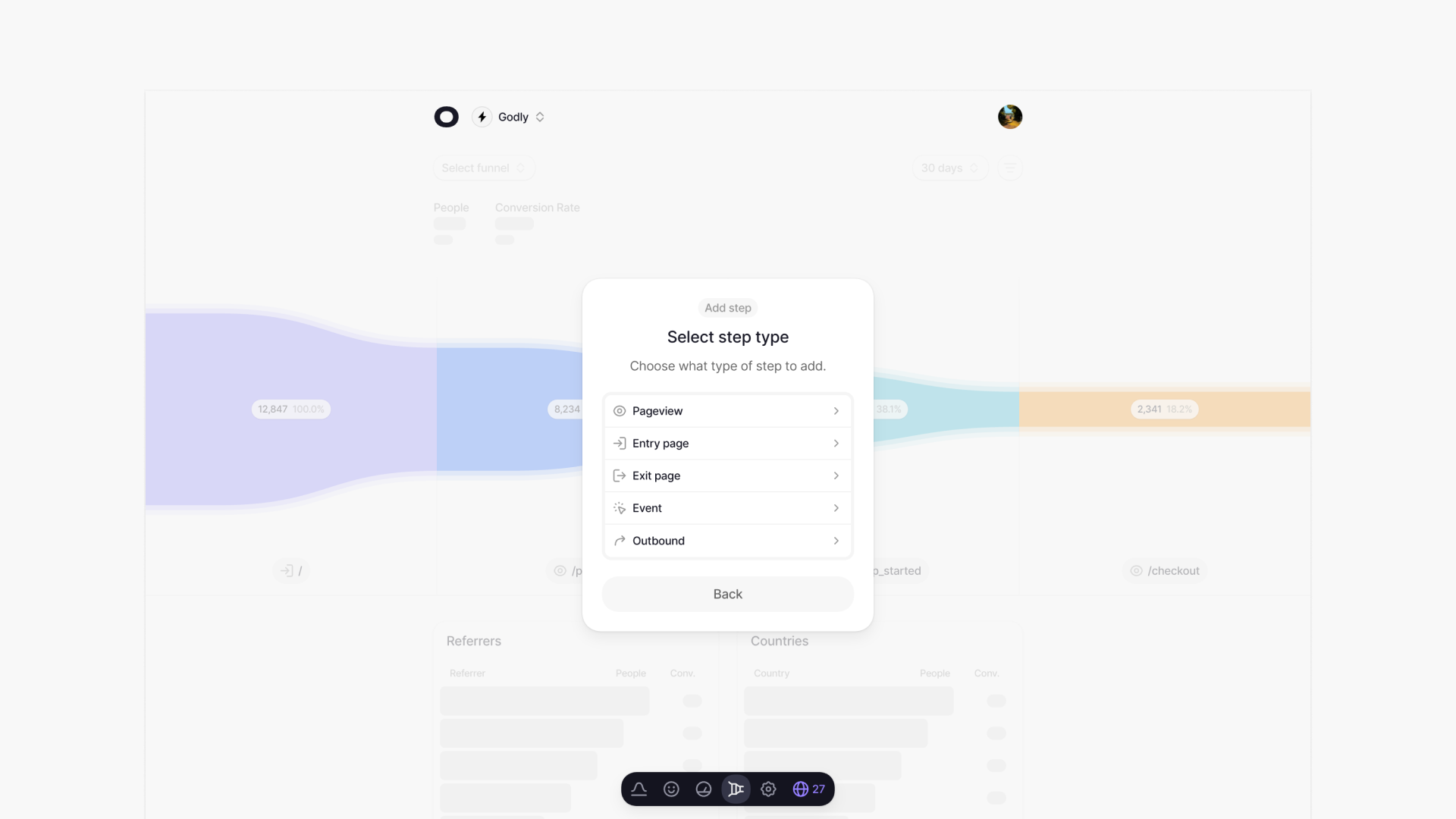
The step selector only shows you pages and events you've already tracked over time, so you're not typing anything like URLs from memory. Just search, scroll through and select.
Filters and breakdowns
You can take funnels even further by applying filters. You can filter by location, referrer, device, and browser to see how different segments perform under different criteria.
Maybe your mobile conversion rate is half of what desktop is. Maybe visitors from a specific campaign are dropping off at a different step than everyone else. Filters help you find these insights.
We also show you the top referrers and countries for each funnel as well as the conversion rate for each metric, so you can understand which traffic sources actually convert, not just which ones send the most visitors.
Closing thoughts
When we launched Visitors I simplified things a bit and decided to launch without funnels. To my surprised, it was actually one of the top things people asked about.
Many analytics providers bake funnels right into the stats page, however I've always felt they deserved their own place, allowing for deeper insights.
Thank you to everyone who has shared feedback so far, suggested features, and waited patiently while we worked on this.
Start your free trial and build your first funnel today.