Introducing Revenue Attribution
Connect your payment provider and see exactly which visitors, pages, and referrers drive your revenue.

Daryl
Founder
Today, I'm happy to announce Visitors is introducing revenue attribution.
You already know how many people visit your site, which pages they look at, where they came from and how long they stayed. But until now you don't know which of them actually paid you money. That typically lives in a completely different tool without any way to easily attribute your biggest revenue sources.
We're changing this today.
Why we didn't launch with it
Most people don't know, but before I launched Visitors, I actually had revenue attribution in place. It was one of the earlier things I implemented. But a week before launch, I decided to strip it out in order to simplify things. I didn't want too many moving parts when we launched. Projects are all good and fine until you hit deploy and real users start messing around with things, so the less that could go wrong the better. However, we've been alive for about 2 months now, so today I'm releasing it.
Why this matters
Traditional analytics does half the work. It tells you who visited, how long for and what pages they looked at. But when you are trying to run a business, it's important to understand which sources are the ones bringing in the most money. That way you can focus on scaling those further, and also put attention to the ones that are underperforming.
Without this connection, you have one revenue chart in your payments platform and one timeseries in your analytics platform. Wouldn't it be nice to have both of them in sync?
Now transaction data sits right next to your analytics. You can see that a visitor came from a specific referrer, landed on your pricing page, and spent $299 on your pro plan. It's extremely powerful.
How it works
Head to integrations in your project settings and connect your payments platform. No need to set up webhooks or complex configurations, we handle most of it.
Right now we only support Stripe, so I'll walk you through that.
Once you've connected, we will automatically begin listening to any future transactions and match them to your visitors.
But before any of this will work, you will need to follow specific integration instructions so we can associate visitors with your future revenue.
Revenue on your timeseries
Your timeseries chart is no longer just about stats, you will now see how much revenue you have earned during specific periods. You'll begin to pick up on patterns like at what time of day you get most of your revenue!
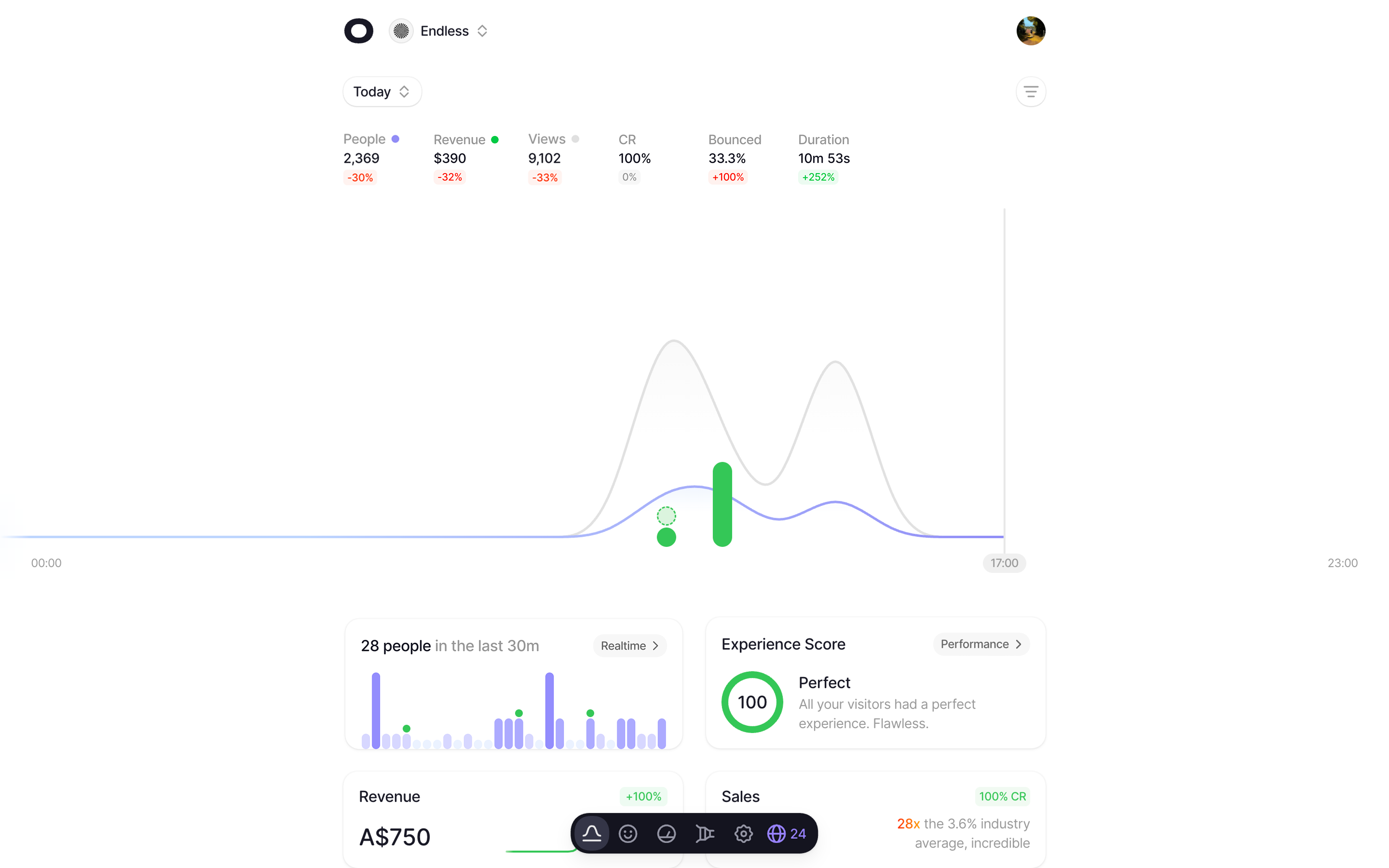
We break things down into new, recurring, and refunded. So you're not just seeing a total, you can see exactly where your money is coming from and how much you're giving back.
New widgets in your dashboard
Everyone loves widgets. If you have integrations enabled, you will notice two new cards on your dashboard: revenue and sales.
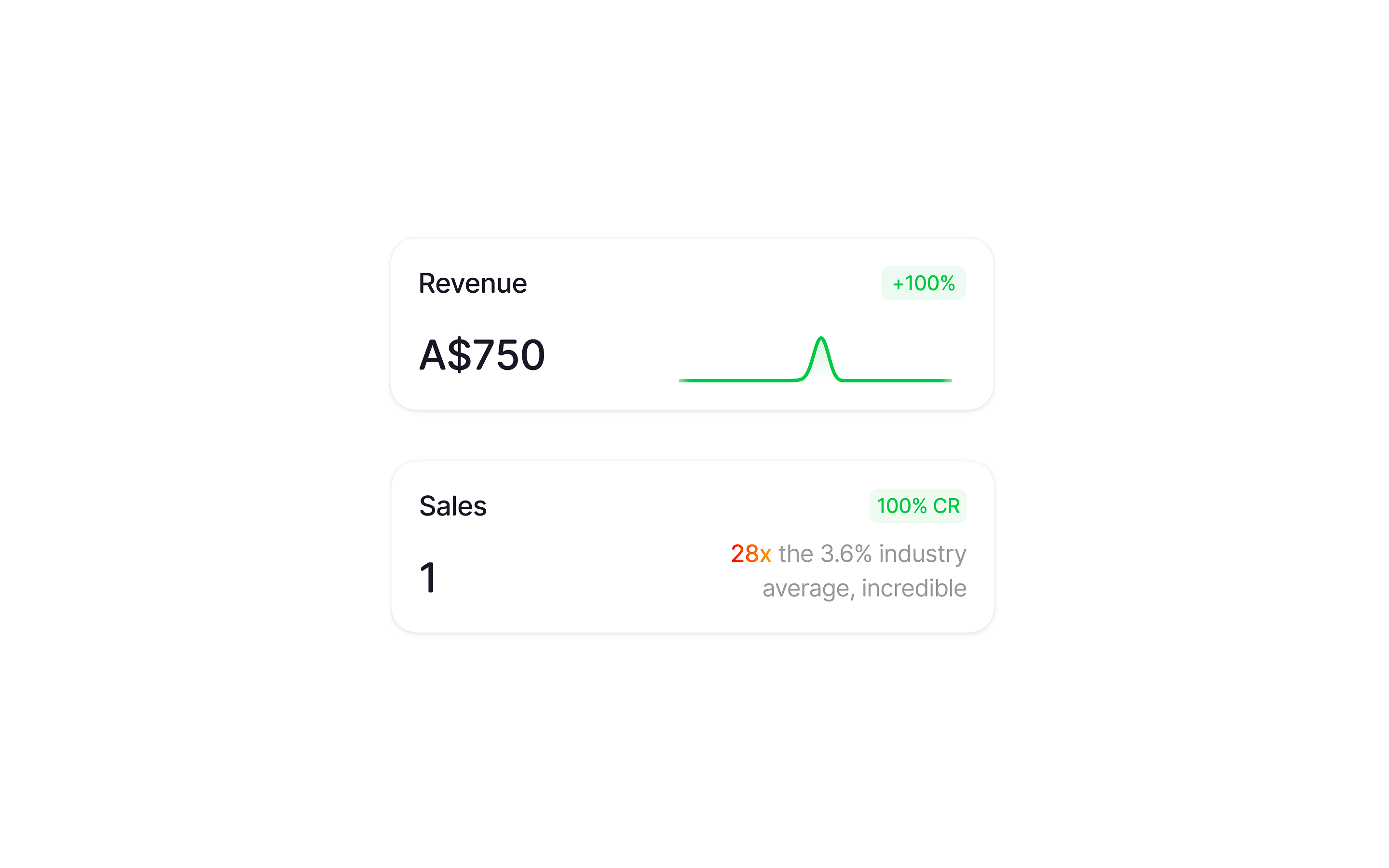
They're quite self explanetory, however the sales card will also give you an insight into how well your conversion rate is doing compared to the industry averages (subject to change).
Revenue in your breakdowns
Revenue attribution also appears basically everywhere. Every referrer, country, browser and more now shows revenue alongside visitor counts. You can immediately see that Google is driving $8k while Reddit brings traffic but no revenue, or that Australia accounts for nearly half your income.
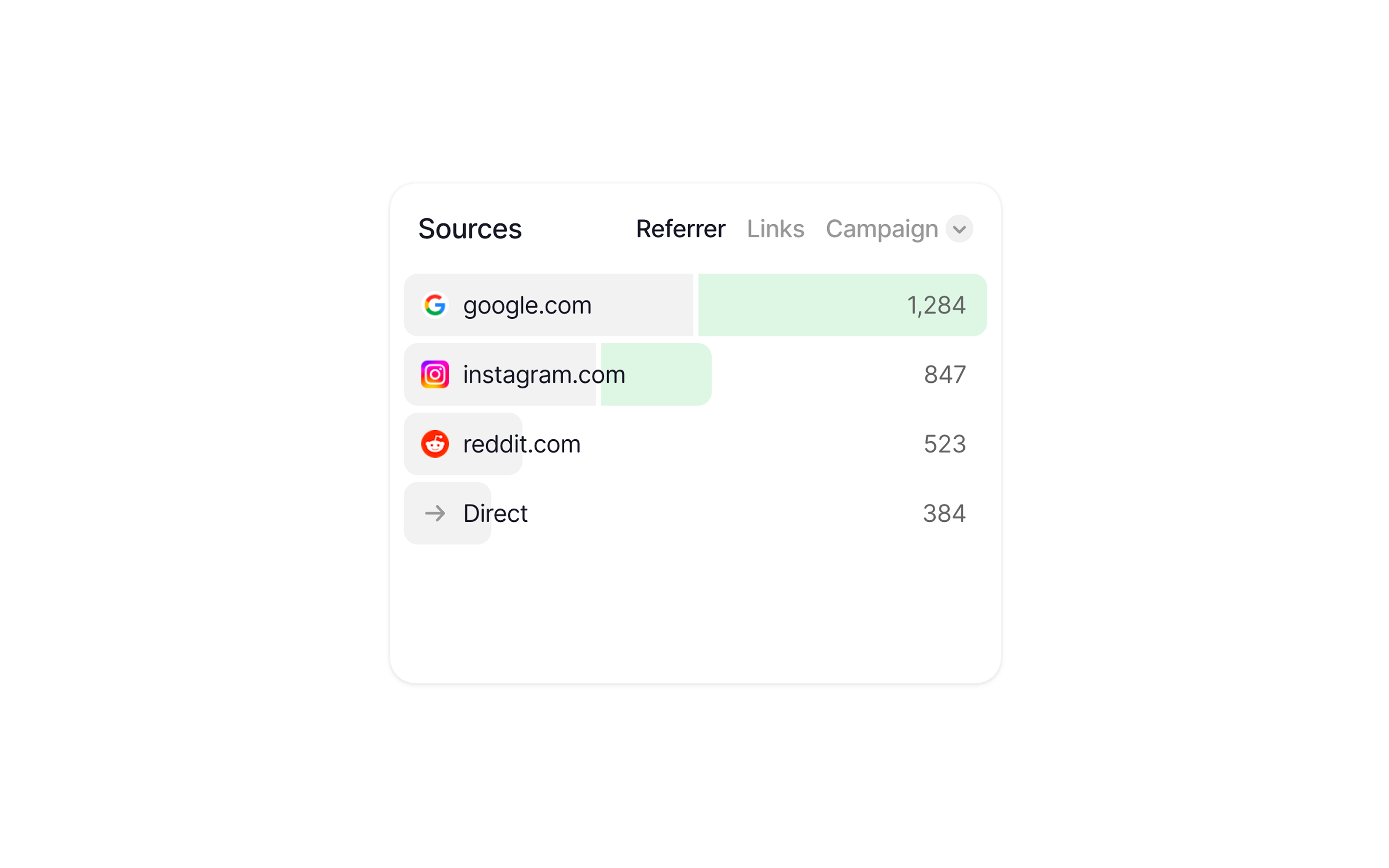
Hovering any item will show you the revenue amount for that given metric.
This means you don't need to jump between tools to figure out which channels are actually making money. It's all right there in the same cards you already use for stats.
Revenue in visitor profiles
Every transaction shows up in the visitor's feed alongside their pageviews and sessions. You'll see the amount, whether it was a purchase, subscription or refund, the line items and the payment provider.
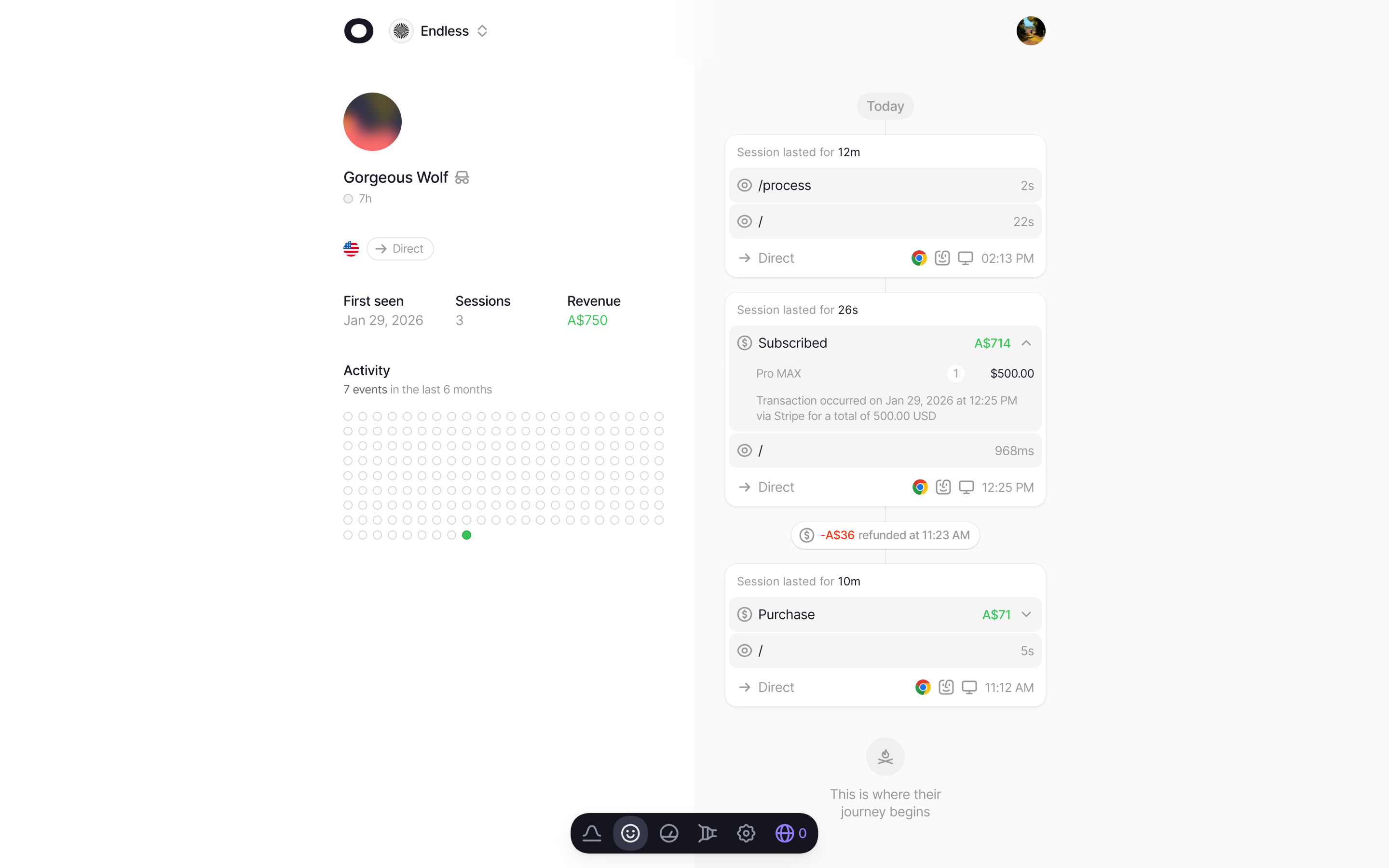
You'll see purchases, subscriptions and any refunds directly in a visitors profile.
You can sort profiles in your project's people page by revenue too, so finding your highest-value visitors and seeing exactly how they found you is easier than ever.
Multi-currency support
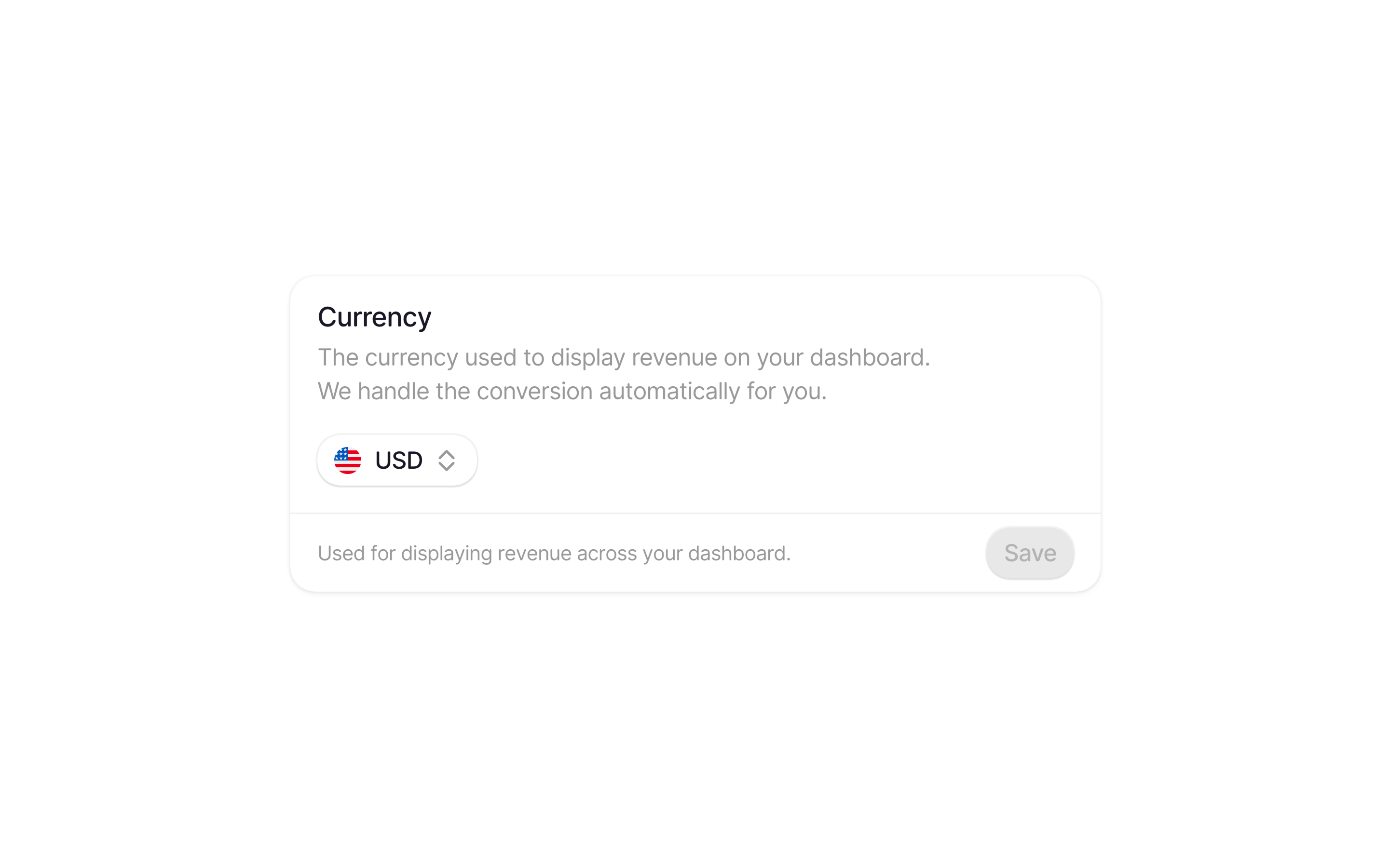
You can change this at any time, it's not fixed. We'll handle everything.
If you've got customers paying in different currencies, no sweat. Switch your display currency in project settings and we'll convert everything automatically using daily exchange rates. All major currencies are supported.
Revenue in realtime
Revenue also shows up in your realtime view. You'll see revenue, sales, AOV and conversion rate alongside the interactive globe.
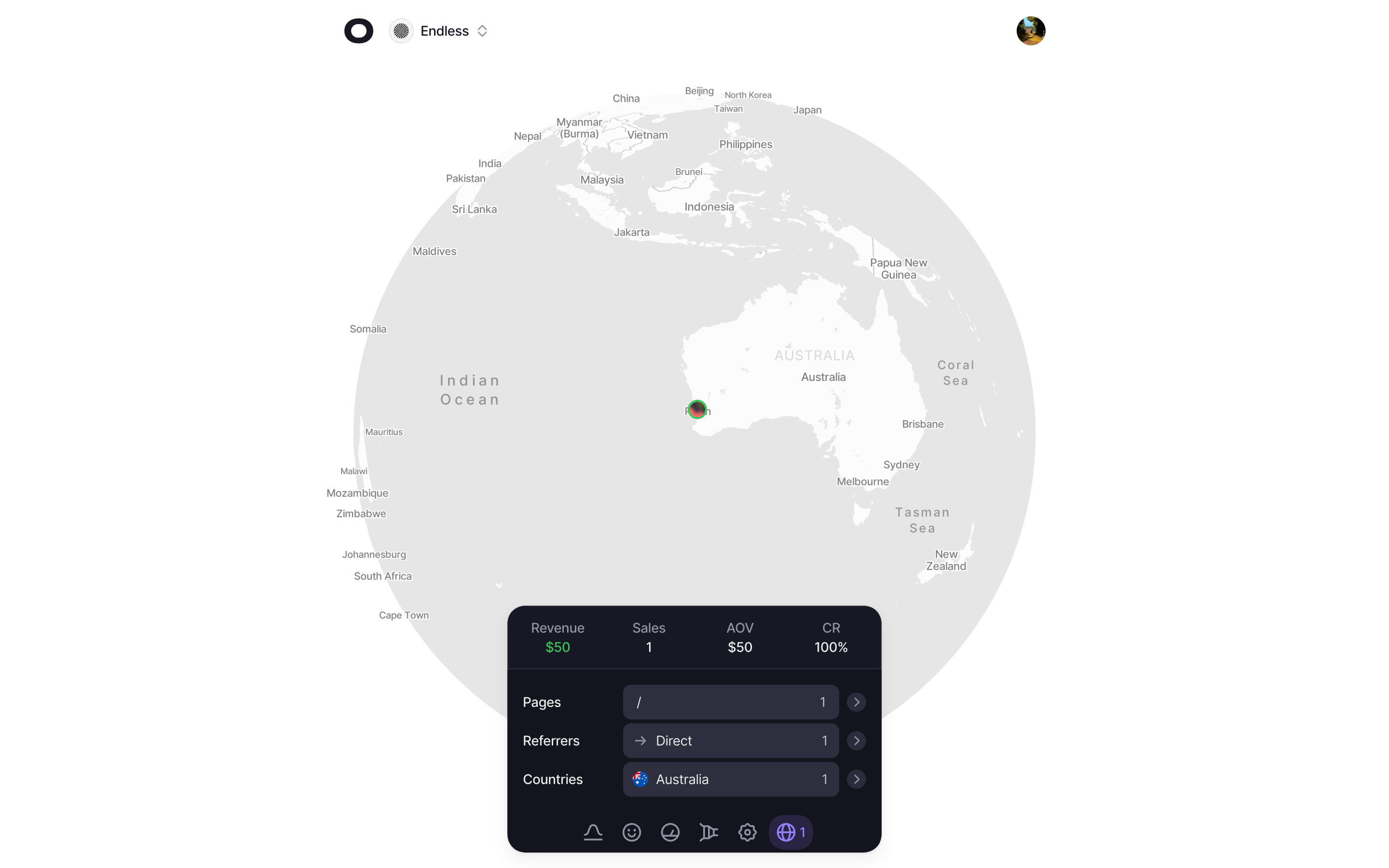
Anyone that's previously made a purchase will be highlighted in green, that way you can easily identify your more important visitors when you're observing your visitors in realtime.
Closing thoughts
While we weren't the first analytics to do this, I believe this is one of the features that a lot of people were waiting for with Visitors, and it was something we planned to release ever since day 1 of building this.
Right now, we only support Stripe, but Polar is next, and then likely Shopify and whoever else we can. The goal has always been for Visitors to be the one place you go to understand your traffic, the revenue behind it, and to have a stunning realtime experience.
Start your free trial today.